Comparative Analysis Of Long-Join Photocontrol Receptacles: 3-Pin, 5-Pin, And 7-Pin
Introdurre
Choosing between 3-pin, 5-pin, and 7-pin receptacles can feel confusing when all you want is a stable, long-life lighting control system that “just works.” Get it wrong, and you risk flicker, failed dimming, or a street light that never turns off.
This guide breaks down Long-Join’s NEMA-style presa fotocontrollata options in plain language.
The Difference Between 3-Pin, 5-Pin, and 7-Pin Sockets
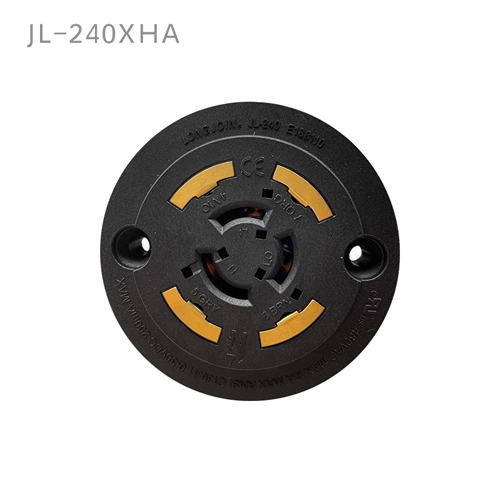
What Defines A 3-Pin Receptacle?
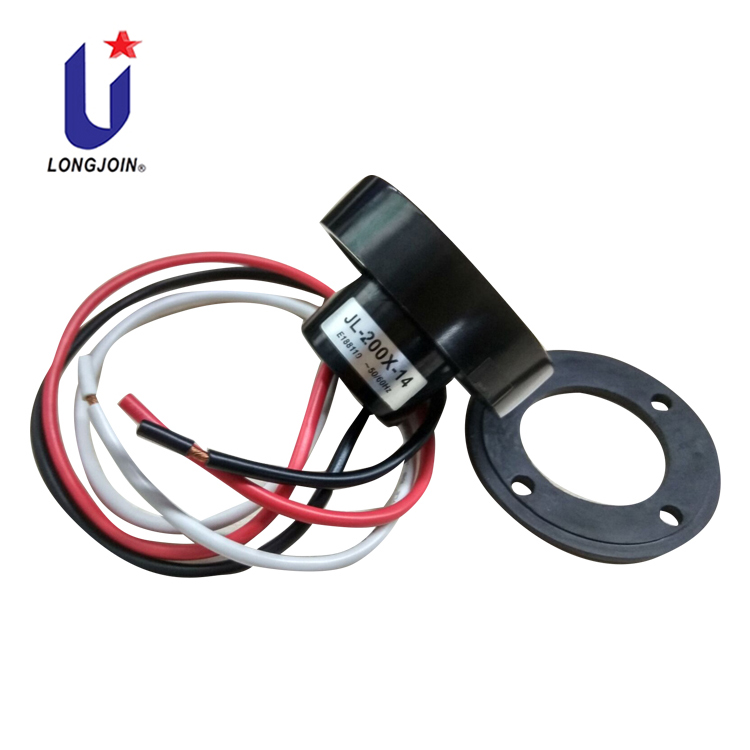
The 3-pin photocontrol receptacle is the most basic type. It has three power wires. They are color-coded: black, red, and white.
Long-Join makes these wires using specific sizes. They use AWG#12, AWG#14, and AWG#16 wires. These sizes are approved by UL for safety. They don’t use AWG#18 wires. Those aren’t certified to handle this much electricity safely.
This receptacle works with twist-lock photocontrols. These follow the ANSI C136.10 standard. This standard makes sure different parts can be swapped out. They’ll still work together properly.
How Does The 5-Pin Receptacle Extend These Capabilities?
When projects need dimming, the 5-pin interface adds low-voltage signal lines while keeping the same power behavior:
- 3 power wires (line, neutral, load).
- 2 signal wires for analog 0–10 V dimming.
- Power wire gauge:
- AWG#14 → up to 15 A
- AWG#16 → up to 10 A
- Signal wire gauge is 18 AWG. It carries up to 30 VDC at 0.25 A.
- These signal wires are usually purple and gray. These colors are common for 0–10 V dimming in Driver LED.
What Extra Do You Get With A 7-Pin Receptacle?
If you’re building a smart city platform or advanced street lighting outdoor network, the 7-pin option provides even more flexibility:
- There are three power wires. They match 5-pin ratings: AWG 14 handles 15 A, AWG 16 handles 10 A.
- 4 signal wires in total:
- 2 wires (purple, gray) for 0–10 V analog dimming.
- 2 wires (often yellow and orange) for DALI or other digital control signals.
How Do The Three Types Compare At A Glance?
Receptacle Type | Total Pins | Power Wires | Signal Wires | Typical Signal Roles |
3-Pin | 3 | 3 (L, N, Load) | Nessuno | Basic on/off photocell switch |
5-Pin | 5 | 3 (L, N, Load) | 2 (purple, gray) | 0–10 V dimming control |
7-Pin | 7 | 3 (L, N, Load) | 4 (purple, gray, yellow, orange) | 0–10 V + DALI / advanced control lines |
Where Each Type Works Best
ANSI C136.10 sets rules for locking controls. ANSI C136.41 does the same for multi-pin interfaces, giving everyone a common shared base. They help each part talk to the others.
When Is A 3-Pin Receptacle Enough?
For most street lights, it is usually still enough.
- It is great for standard street, car park, and wall lights.
- Use this when you don’t need dimming or scheduling. No remote control, either.
- It cuts material and build costs versus multi-pin ports.
Where Does The 5-Pin Receptacle Shine?
When you add LED drivers with 0–10 V inputs, the 5-pin photocontrol receptacle is the ideal match.:
- It gives dusk-to-dawn on/off and smooth dimming.
- It enables late-night dimming profiles.
Why Choose A 7-Pin Receptacle For Smart Lighting?
The 7-pin interface is built for controller intelligent lighting platforms:
- Supports 0–10 V and DALI or other digital protocols on separate pairs.
- Lets smart controllers read driver status, report failures, and push custom dimming profiles.
- Integrates with centralized CMSfor asset tracking, remote alarms, and energy reporting.
DALI is a common digital standard for lighting control. It lets each fixture have its own address, two-way communication, and flexible groups.
In short:
- 3-pin → basic, reliable switching.
- 5-pin → switching + analog dimming.
- 7-pin → platform for smart, connected photocell LED street light
Which Receptacle Type Fits Which Scenario?
Scenario / Project Type | Recommended Receptacle | Main Reasons |
Conventional roadway upgrade, no dimming | 3-Pin | Simple dusk-to-dawn switching, lowest cost |
Campus or park with night-time dimming | 5-Pin | 0–10 V dimming plus basic on/off |
Smart city pilot with CMS and sensors | 7-Pin | Dimming + DALI / digital feedback, remote monitoring |
Step-by-step modernization (future-proofing) | 7-Pin | Can start with simple control, then add smart nodes later |
Wiring a 3-Pin Photocontrol Safely
A 3-wire setup seems simple, but bad wiring can still cause false trips or even damage. So how should you handle a 3-pin NEMA socket?
- Follow ANSI C136.10 markings.Locking-type 3-pin receptacles have clear terminal markings for line, neutral, and load to avoid cross-connection.
- Match line and neutral correctlyto the driver’s input terminals.
- Connect the load terminalfrom the receptacle to the luminaire’s driver or ballast switched line input.
Once wired:
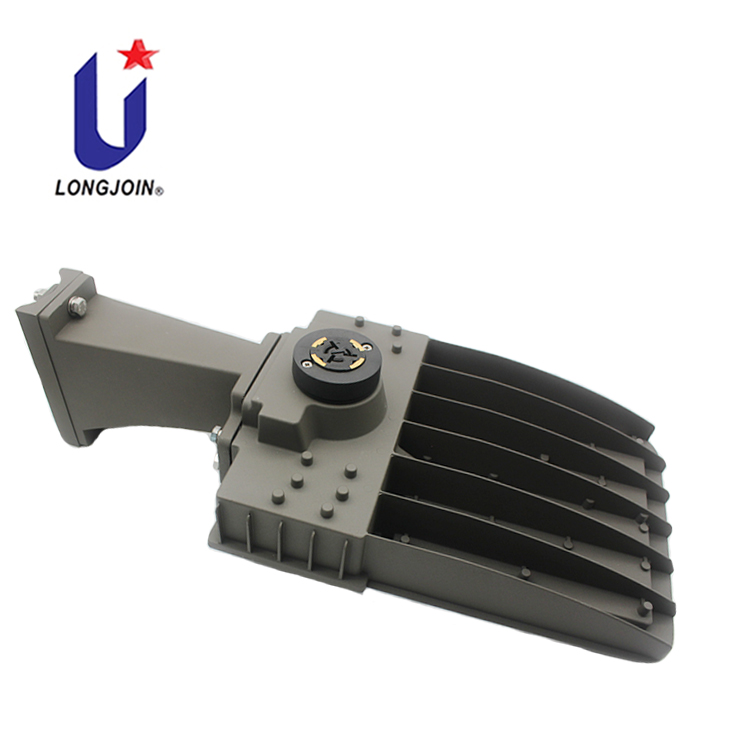
- Mount the receptacle on the luminaire housing.
- Insert the twist-lock photo cell (photocontrol head) and twistuntil it locks.
- Align the “NORTH” mark on the photocontrol with the true north direction where required by the design, to ensure accurate light sensing.
What’s The Wiring Risk Profile For 3-Pin?
Articolo | Risk Level | Note |
Mis-wired line/neutral | Medio | Can cause malfunction or unsafe state |
Incorrect load terminal | Medio | Luminaire may stay on or off |
Missing ground bonding | Medio | Follow local codes for safety |
How to Wire a 5-Pin Socket
Adding dimming wires introduces another layer of detail. Many field issues come from mixing up signal and power lines.
For a 5-pin NEMA socket:
- Wire the 3 power leads exactly as you would for a 3-pin.
- Then connect the two signal leads (typically purple and gray AWG#18) to the 0–10 V dimming terminals of the LED driver.
- Respect polarity where the driver requires it, even though 0–10 V lines are low voltage.
Practical tips:
- Keep signal wires twisted. Try to route them away from noisy power cables to reduce interference.
- Label the dimming pair clearly at both ends. This matters in multi-driver luminaires.
Connecting a 7-Pin Receptacle
The 7-pin interface adds flexibility, but only if you wire it to match your control strategy.
For a Long-Join 7-pin photocontrol receptacle:
- Wire the 3 power leads as with 3-pin/5-pin (L, N, Load).
- Use the first signal pair (purple and gray) for 0–10 V dimming if your driver and control node rely on analog dimming.
- Use the second signal pair, such as the yellow and orange wires, to connect DALI or other digital control lines. Only do this when your driver supports that control protocol.
Conclusione
3-pin, 5-pin, and 7-pin receptacles are not rivals. They each match a different control level in use.
- 3-pin handles robust on/off switching.
- 5-pin adds 0–10 V dimming with little extra complexity.
- 7-pin opens the door to smart, data-driven controllo fotocellulaand city-scale optimization.
When you match your project’s control plan to the right interface, everything else gets easier. Wiring, setup, and performance are simpler.
Link esterni:
●https://webstore.ansi.org/standards/nema/ansic136102023?srsltid=AfmBOopluHbQ_gnLGqDhfBy-Gl_3s_GHin3RJVT44erUSTalYes44d8b
●https://www.edecision4u.com/CMS.html
●https://en.wikipedia.org/wiki/Digital_Addressable_Lighting_Interface


